Diary
Each day, you will experience new and fascinating adventures. It would be hard to keep them all in your head, but fortunately, you can write them to your digital diary!
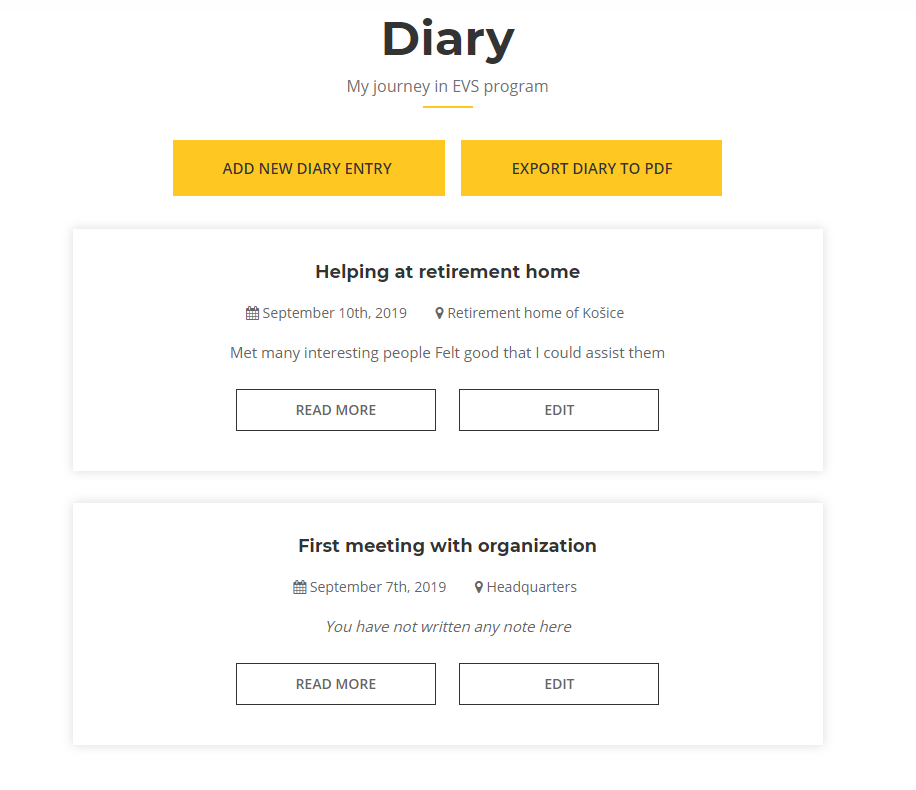
And this is how each entry looks like:
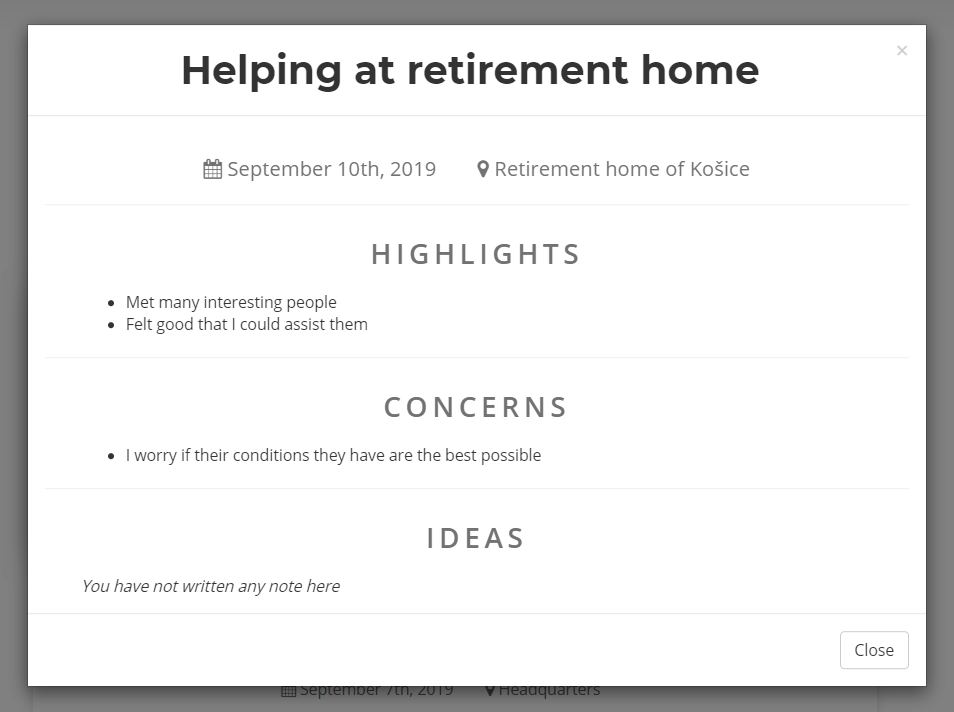
Remember, everything you write here is your personal information and nobody, not even your organization will have access to it.
Tip
Some organizations may require you to follow some internal instructions for filling out your diary and they might even ask you to share it with them. Make sure to comply with them.
Adding a new entry
Let's start writing our diary. By clicking on Add new diary entry button, you will be taken to a form to fill. It consists of two parts - required fields and optional fields.
There are three required fields:
- Title
- Date
- Location
Title is the name of your entry - you can either give it a special name, or simply use date instead. Location can be used for exact place, or simply for city or country, however you like it more.
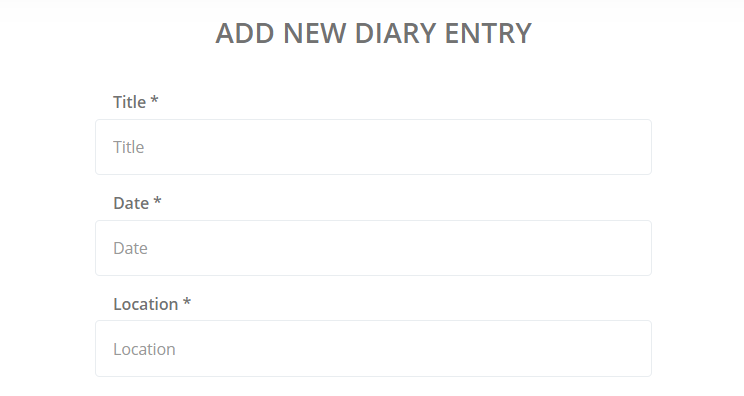
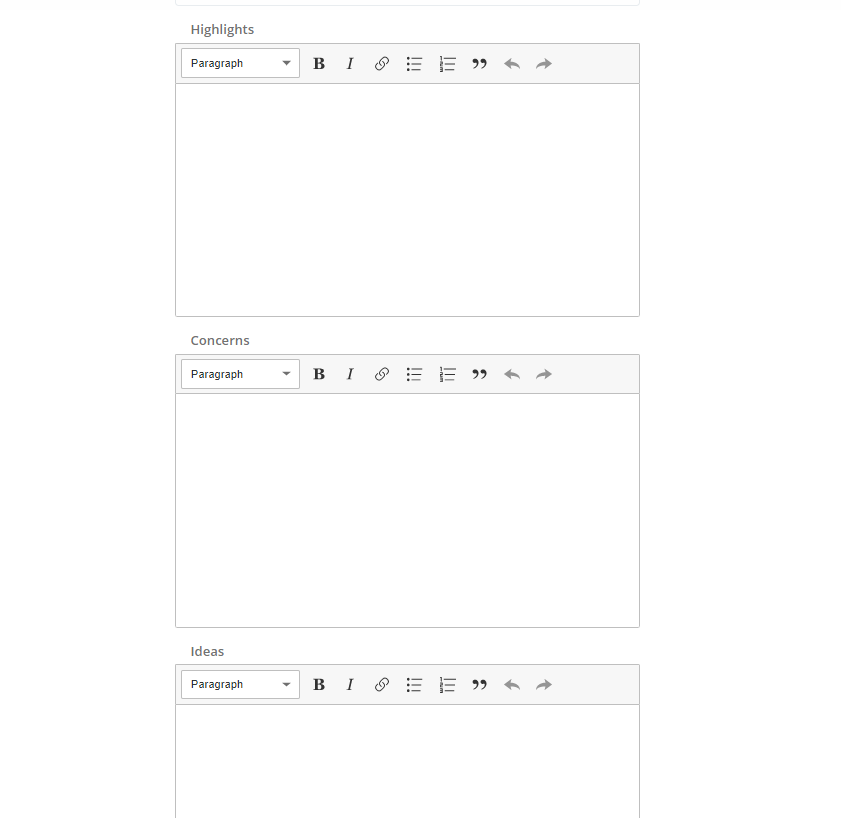
Apart from that, there are 3 more optional fields that you can use as well:
- Highlights
- Concerns
- Ideas
You can use them to write down your feelings from a given experience. It's completely up to you what exactly you will write to each field - we just wanted to give you a general direction.
Tip
You can write multiple entries per day if you wish to. This way, you can focus more on certain experience from the day.
Exporting your diary
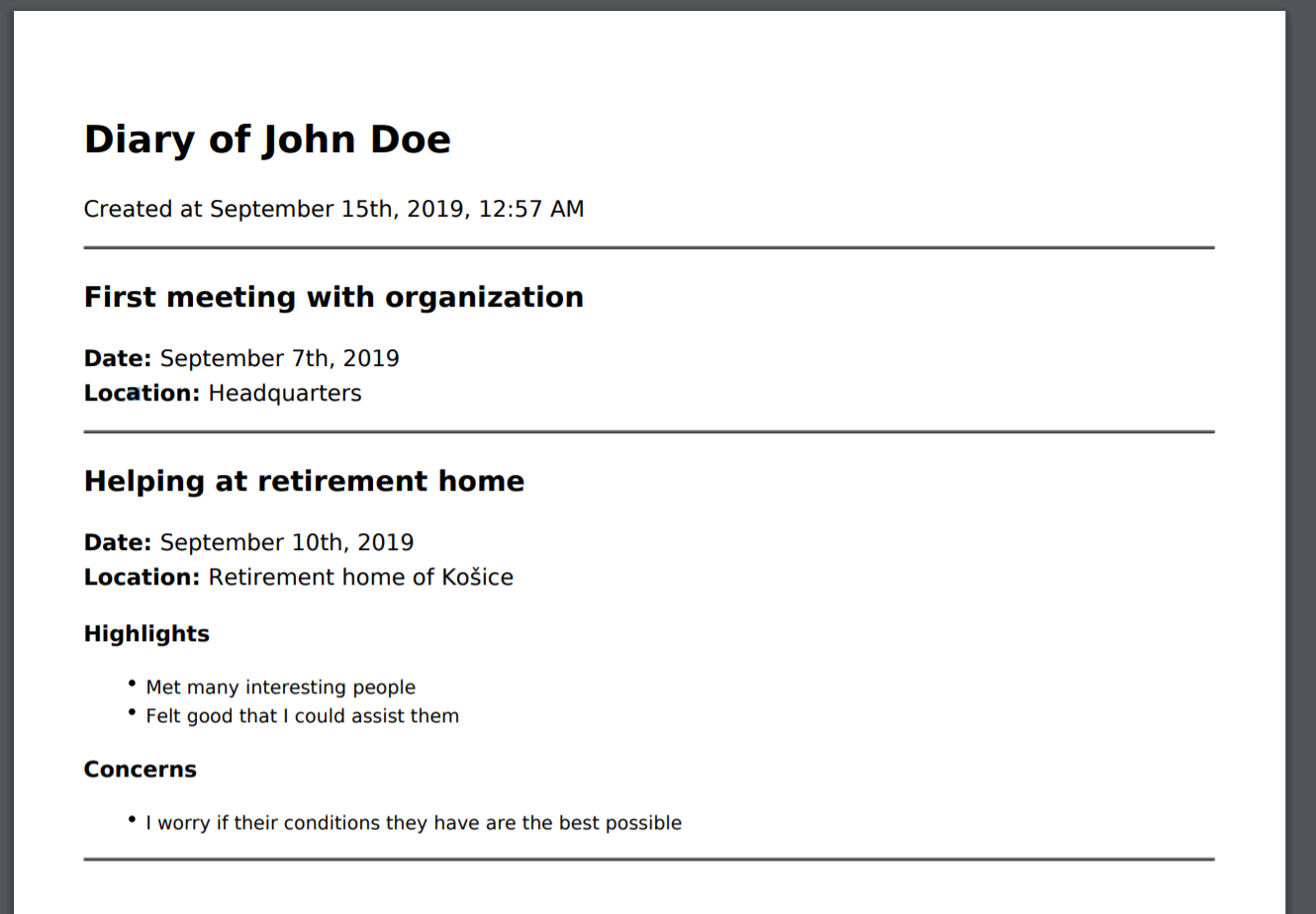
If you wish to share your diary or simply print it, you can do so by clicking on Export diary to PDF. This will shortly start downloading a PDF version of all your entries, which looks like this:
Be gentle on our nature
Think twice before printing your diary - is it really necessary? Wouldn't be sending exported PDF through e-mail more efficient?
← Organization Events →